Browser Notification Spam on the rise: What You Need to Know

Update (2025): Notification spammer activity continues to rise across Google Chrome, Microsoft Edge, and other modern browsers. While the technology behind browser notifications is legitimate, it is frequently abused by scammers using deceptive tactics to trick users into enabling malicious notifications.
Notification spammers are now one of the most common sources of fake virus warnings, Microsoft Defender alerts, and tech support scams. Delaney Computer Services regularly encounters this issue while supporting small and mid-sized businesses, particularly in environments without centralized security controls.
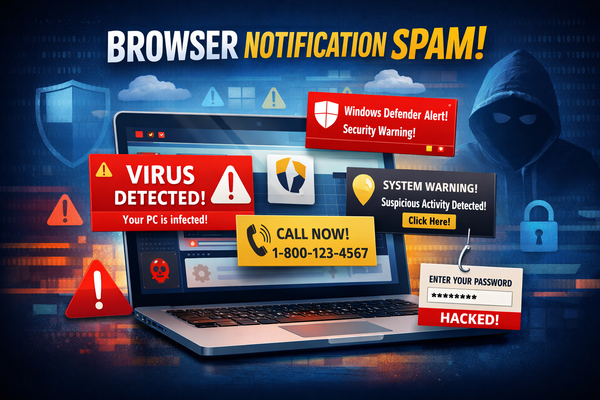
What Is a Notification Spammer?
A notification spammer is a deceptive website that abuses browser notification permissions to send unsolicited and misleading pop-up messages directly to a user’s desktop. These messages can appear even when the browser is closed, making them especially confusing and alarming to non-technical users.
Notification spammers typically trick users into clicking “Allow” by disguising the prompt as a CAPTCHA, video player requirement, download button, or security verification message.
How Notification Spam Starts
Users are commonly redirected to notification spammer sites through malicious ads, compromised websites, fake software downloads, or misleading search results. Once notification access is granted, the spammer can continuously push alerts designed to drive clicks, harvest credentials, or initiate contact with scammers.
Because this technique relies on user interaction rather than exploiting a software vulnerability, traditional antivirus tools alone may not prevent it.
Fake Security Alerts and Scare Tactics
Modern notification spammers often impersonate trusted brands such as Microsoft, antivirus vendors, or financial institutions. These notifications may warn of Malware infections, data breaches, or account compromises and frequently reference Microsoft Defender or Windows Security.
Many of these alerts include toll-free phone numbers that appear legitimate. When contacted, users are connected with scammers posing as technical support representatives who attempt to gain remote access, extract payment, or steal sensitive information.
Why Notification Spammers Are a Serious Security Concern
While some users dismiss notification spam as merely annoying, it often represents a larger security issue. These attacks are commonly used as an entry point for credential theft, remote access scams, and financial fraud.
In business environments, repeated notification spammer activity may indicate missing browser policies, inconsistent endpoint protection, or insufficient user security training.
How to Prevent Notification Spammer Attacks
- Limit notification permissions: Legitimate websites rarely require notifications to function properly.
- Review allowed notification sites regularly: Remove any site you do not recognize.
- Use managed endpoint security: Modern security tools can help block malicious redirects and deceptive prompts.
- Apply consistent browser policies: Centralized management reduces risk across multiple users.
What to Do If You’re Already Seeing Notification Spam
If you believe a notification spammer has been enabled on your device:
- Close the browser immediately: Use Task Manager if pop-ups prevent normal closure.
- Open browser notification settings: Locate the list of allowed notification sites.
- Remove suspicious entries: This stops future alerts.
- Run a security scan: Ensure no additional threats are present.
- Contact a professional: Especially if remote access was granted or credentials were entered.
Why Businesses Should Pay Attention
When notification spammer activity appears across multiple systems, it often signals a lack of centralized security controls rather than isolated user error. Organizations using Microsoft 365 and Windows endpoints benefit from managed security policies that reduce exposure to these tactics.
Delaney Computer Services provides Managed IT Services and Cybersecurity solutions designed to address threats like notification spammers through proactive monitoring, endpoint protection, and user-focused security controls.
Understanding how notification spammers operate is the first step. Preventing them requires the right combination of technology, policy, and user awareness.
 Call Now!